InvoisLaju › Guides › Write a contractor quotation with a clear scope
Guide
Write a contractor quotation with a clear scope
For a repair or renovation job, a useful quotation explains the work behind the total. Measurements, materials and exclusions give the customer something specific to approve before work starts.
Start with the site and the customer's requested outcome. Describe the area, quantity and material specification you priced. If the quote depends on a site inspection or a measurement being confirmed, say so in the notes.
Example item
Quantity and rate
Line total
Repaint interior wall, preparation and two coats; material specification agreed separately
40 m² × RM18
RM720
Replace agreed light fittings; fittings supplied by customer
4 units × RM45
RM180
Remove the agreed job waste
1 job × RM100
RM100
Example total, without a tax charge
RM1,000
This is a fictional arithmetic example, not a recommended contractor rate or tax treatment. Define the exact work and any applicable tax for your own transaction. You can put a unit such as m², point or job in the item description so the quantity is understandable.
Notes worth writing before the customer accepts
Included: the preparation, material grade, labour and cleanup covered by each item.
Excluded: for example, concealed defects, repairs found after opening a surface, or materials supplied by the customer.
Site arrangements: access, working hours, storage and who provides any required access permission.
Timing: estimated start and completion, with the dependencies you actually know about.
Validity: the date or period during which the quoted scope and price are available.
Changes: how you and the customer will agree extra work and its price before it is carried out.
Example wording to adapt: “This quotation covers only the items listed. Additional work discovered on site will be described and priced separately for your approval before proceeding.”
Describe payment stages without hiding the total
For the fictional RM1,000 job above, an agreed schedule might be RM300 before starting and RM700 after completion. Write both the total and the stage descriptions. Those figures illustrate the arithmetic only; choose the actual arrangement with the customer.
When money arrives, record what was received. A deposit receipt should describe the RM300 deposit, the job reference and the remaining RM700. InvoisLaju supports a standalone receipt for this purpose. A receipt linked from an invoice is available only when that issued invoice is fully paid.
Make the document in InvoisLaju
Open a quotation and select your business and customer.
Choose the agreed currency and a document language the customer can read.
Enter each priced task as a line item, with units explained in the description.
Put the site reference, scope assumptions, exclusions, validity and payment stages in notes.
Review the PDF preview, including any page breaks in a long scope, before sending it.
Keep the accepted quotation. Convert it to an invoice when you are ready to request the agreed payment, and check the new invoice before export.
See the output format
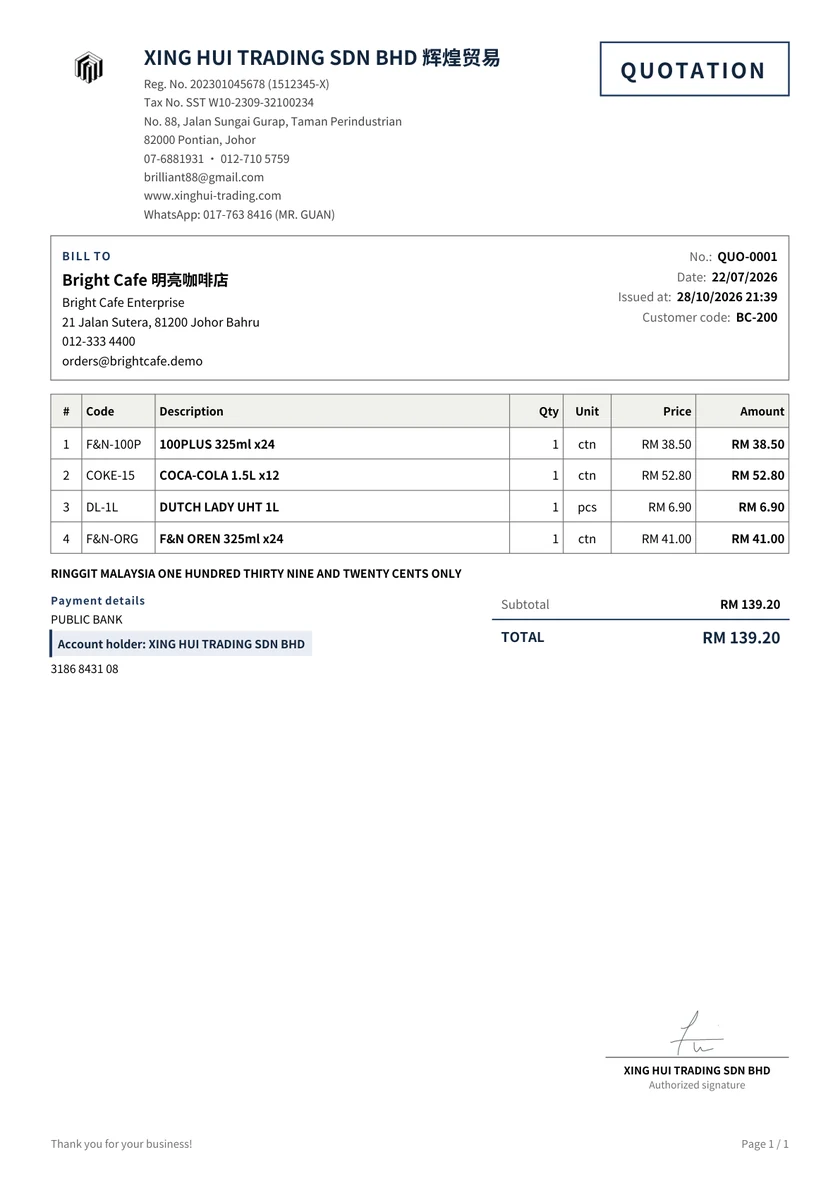
An original XING HUI TRADING goods quotation with logo and signature. The renovation arithmetic above is a separate example.
A quotation document does not replace the detailed agreement, technical specification or professional advice a particular job may require. InvoisLaju exports ordinary business documents; it does not obtain MyInvois validation.
Start with the free plan
The free plan has no time limit. It includes three footer-free exports each month; later exports carry an InvoisLaju footer. Premium templates, signatures and payment QR have separate trial allowances. Review the plan details before choosing an optional paid feature.
Put the scope next to the price
Create your quotation with the actual items, exclusions and payment terms, then review the PDF before sending.